← All articlesAdministration › Server Administration
When I try and connect to my AppServer, I get the error message "Could not connect to server". If I look at the details, it reads "Connect failure: Server refused connection (7251)"
Applicable Versions: All If your system is defined to connect directly to your AppServer (rather than through a NameServer), and your AppServer is not running, or the Service field of your system setup does not indicate the AppServer Broker Port (see below), you will receive this error. Ensure…
Updated 23 March 2018
Applicable Versions: All
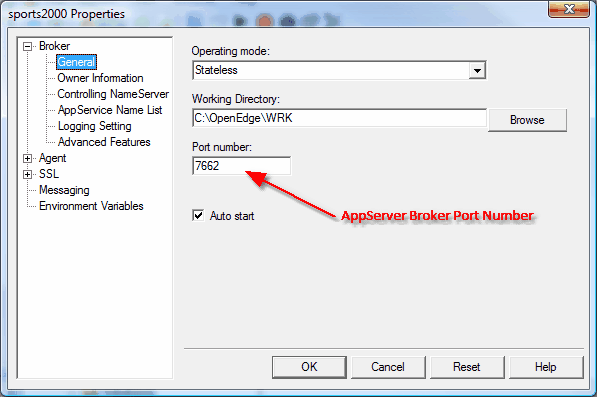
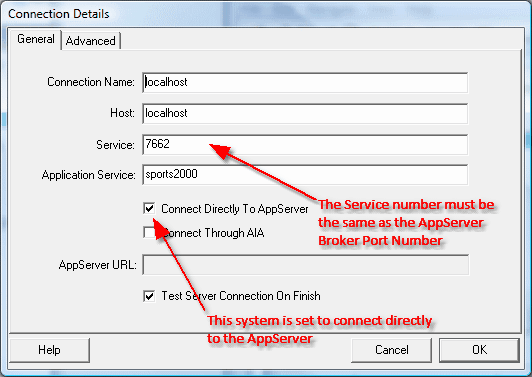
If your system is defined to connect directly to your AppServer (rather than through a NameServer), and your AppServer is not running, or the Service field of your system setup does not indicate the AppServer Broker Port (see below), you will receive this error. Ensure your AppServer is running and the Service field of your system setup indicates the correct AppServer Broker Port.
![]()
![]()