← All articlesAdministration › Setup
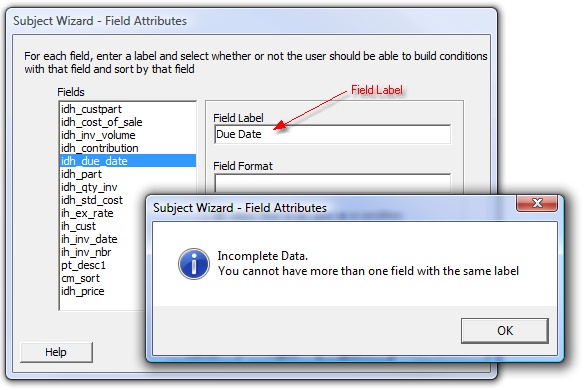
When creating a business logic subject, all labels I have entered for the fields returned are unique, but the subject wizard always says "Incomplete data, You cannot have more than one field with the
Applicable Versions: 2.01.0152 and above Field labels must be unique for each parameter and field in a business logic subject. If you give a parameter the same label as a field, you will not be able to proceed past the last screen in the subject wizard (see the screenshots below). To resolve…
Updated 21 March 2018
Applicable Versions: 2.01.0152 and above
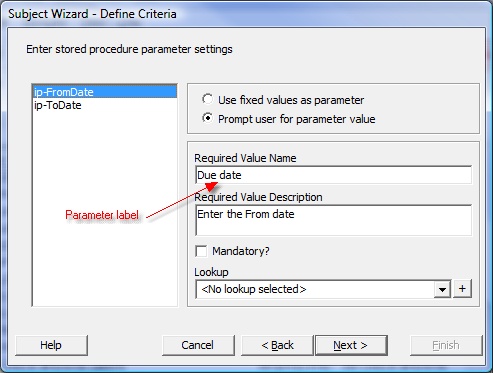
Field labels must be unique for each parameter and field in a business logic subject. If you give a parameter the same label as a field, you will not be able to proceed past the last screen in the subject wizard (see the screenshots below). To resolve this, simply change the label on the parameter, or change the label of the field, so each is unique.
![]()
![]()
