← All articlesAdministration › Server Administration
Refreshing a Query in the Enterprise Dashboard returns an error "Your user directory has reached the size limit set by the administrator. In order to run this item you will need to delete some of your
Applicable Versions: 4.5 and above. When users refresh queries or reports using DataPA Enterprise, the results are stored in a directory specific to that user. The message is informing you that the Maximum size for the user has been reached. If some of the stored results are removed then this…
Updated 11 April 2018
Applicable Versions: 4.5 and above.
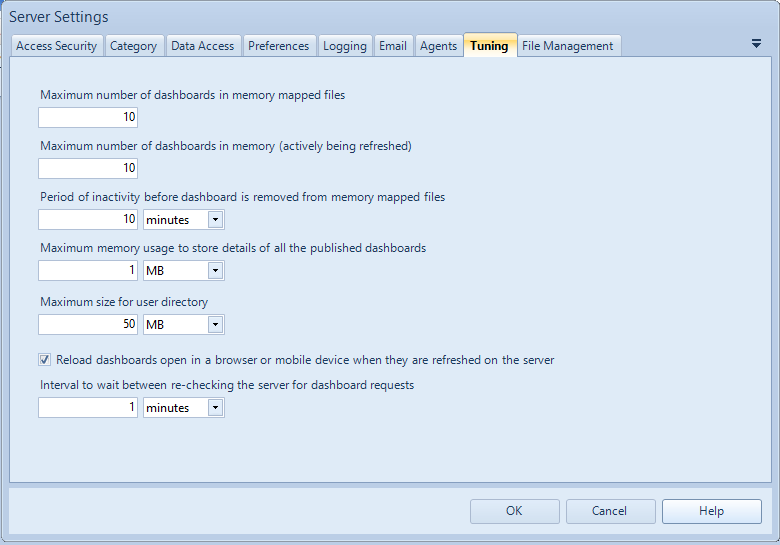
When users refresh queries or reports using DataPA Enterprise, the results are stored in a directory specific to that user. The message is informing you that the Maximum size for the user has been reached. If some of the stored results are removed then this message will not appear.
The setting to set the maximum size per user to prevent these files exceeding the available space on a disk is available on the Tuning Tab of the Server Settings screen
![]()
