
Applicable Versions: 2.05.085 and below
Symptom
After uninstalling DataPA, Progress Explorer fails (see screenshot below).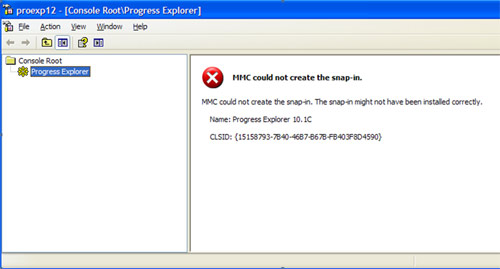
Cause
The problem is caused when the DataPA MSI Package unregisters a Progress OpenClient component called o4glactivex.dll. In this situation, the MSI Package removes some registry entries that prevent Progress Explorer working with the Java VM.
Solution
Download and run the Java VM installer below. This component is no longer distributed with version 3.00 onwards. The Version 3 installer will also recognise this issue and repair it when upgrading a version 2 installation.