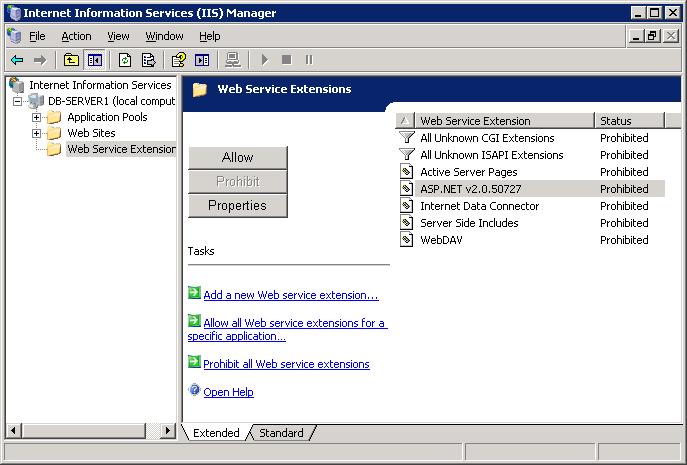
This problem can be caused by a Windows Update which prohibits the use of ASP.NET web service extensions. This effectively means that no ASP.NET based application will be permitted to run on IIS. As an ASP.NET application DataPA Enterprise is affected by this kind of Windows Update.
To resolve this you can either run a repair of the DataPa installation using the setup.exe file with which you installed DataPA or you can use IIS to manually allow ASP.NET web service extensions to be used again.
To do this you start IIS Manager, select the Web Service Extensions node in the treeview on the left of the window. Then you select the ASP.NET v2.0.50727 Web service Extension from the list. This should be currently set as Prohibited. If you select the Allow button then that should resolve the problem and DataPA Enterprise should work again.